
Find glasses
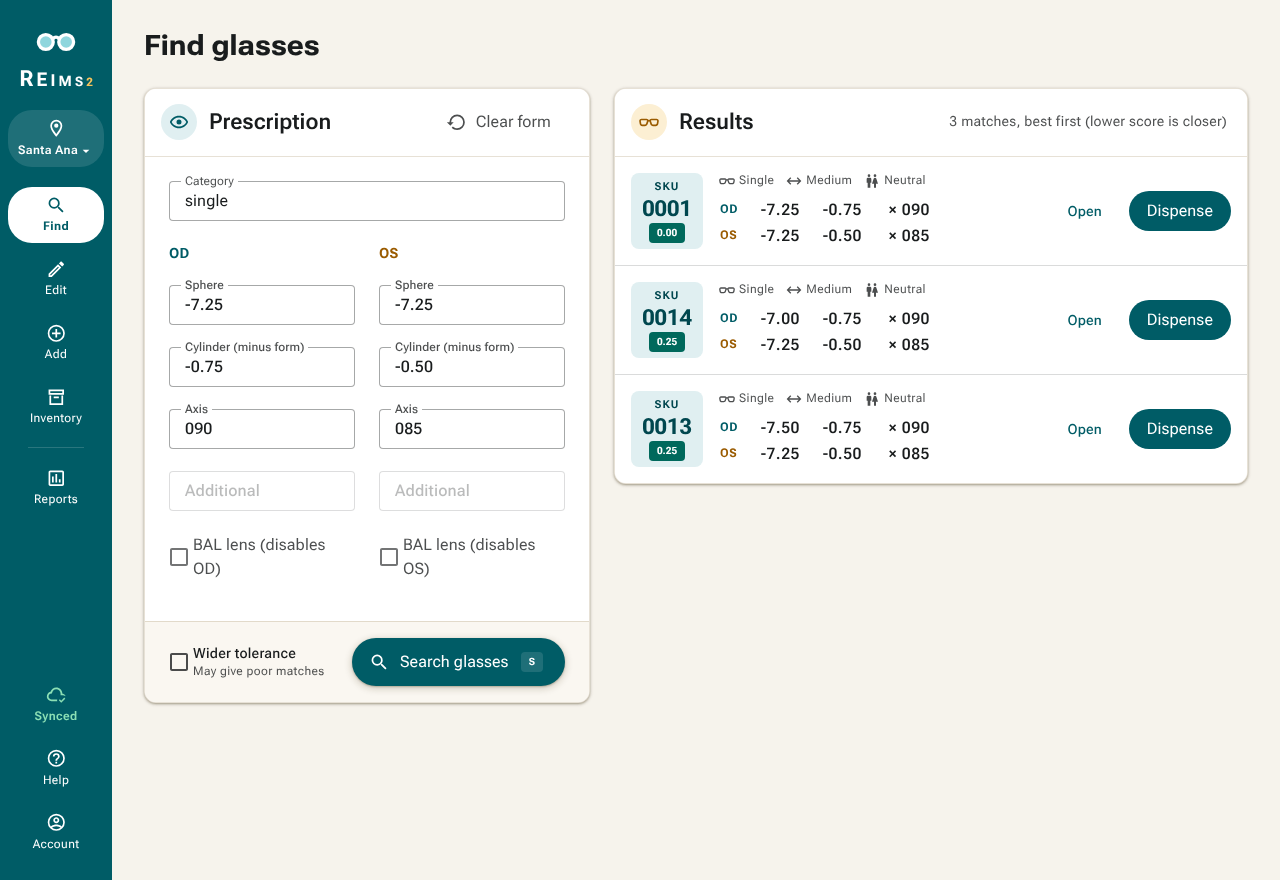
- In Find, pick single or multifocal and fill in both eyes.
- Click Search glasses. Best match first, lower score is closer.
- Try the pair on, then click Dispense.
Keyboard
Type s or m for the category and press S to search.
Results with a flask
A flask next to the score marks a suggestion from a new, experimental matching method. It predicts how sharp the patient will see with the pair. At most every third result is one. Try it on like any other.
No matches?
Check the input, then turn on Wider tolerance. It accepts lenses up to 1.0 off in sphere and cylinder instead of 0.5. Still nothing: tick BAL lens for the eye that sees worse. Only the other eye is matched then, and the BAL side just needs a lens of similar strength so both look alike.
Pair not on the shelf?
Delete it with reason "Not found in storage" and try the next one.